


Internal tools: the software your company actually runs on
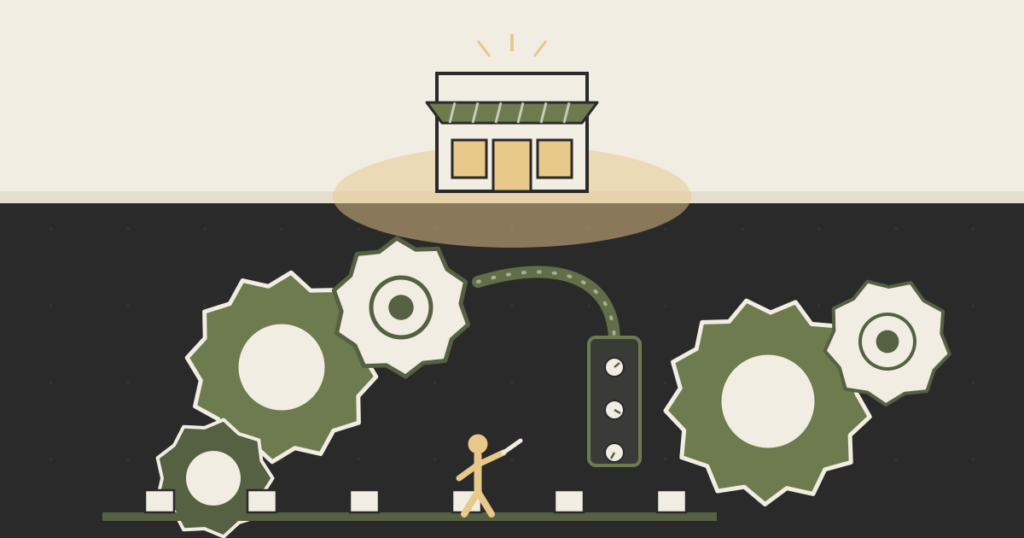
A non-technical founder’s framework for deciding which internal tools to build, which to buy, and what to leave in a spreadsheet, and why the software no customer ever sees is the line item you keep underfunding.
The first time it broke, nobody noticed for two days. A specialty-clinics group we worked with ran its entire scheduling operation out of one Google Sheet. Patients, providers, room assignments, insurance status, all of it, color-coded by a single operations lead who had built the thing over eighteen months and was the only person who fully understood the formulas. She went on vacation. A tab got sorted without freezing the header row. By the time anyone reconstructed which patients had actually been confirmed, the clinic had double-booked three providers and called a dozen people to apologize.
That sheet was an internal tool. An internal tool is any software your team uses to run the business that your customers never see: the admin panel, the ops dashboard, the approvals queue, the script that reconciles two systems at midnight, the spreadsheet that quietly became load-bearing. The customer-facing product gets the design reviews and the launch posts. Internal tools get whoever had thirty minutes and a copy of last quarter’s template. That asymmetry is the most expensive habit most early-stage companies have, and almost nobody puts it on a budget line.
This is a piece about how to think about internal tools as a founder who can’t read the code but signs off on where the money goes. Not a list of platforms. A way to decide what each internal tool should actually be.
What an internal tool actually is
Strip away the vendor jargon and there are only a few shapes. An admin panel lets your team do things to customer accounts that the customer can’t do themselves: issue a refund, override a price, unblock a stuck order. An ops dashboard turns scattered data into a view someone makes decisions from each morning. A workflow tool moves a thing through stages: a loan application, a content piece, a support ticket, a shipment. And the humble internal integration, the script or automation that copies data from your billing system into your CRM so two humans don’t retype it.
The purpose of an internal tool is leverage. A good one lets five people do the work that would otherwise need eight, with fewer mistakes and less tribal knowledge locked in one person’s head. That’s the entire game. When founders ask whether an internal tool is “worth it,” they’re really asking whether the leverage is worth the cost, and they almost always underestimate both sides of that trade because the tool is invisible to everyone outside the building.
Note what’s not on the list: anything a customer touches. The moment software faces your users, it stops being an internal tool and inherits a different bar, brand, uptime, support. The interesting decisions live entirely on the inside, where the only people you’re disappointing work for you, which is exactly why the disappointing version survives so long.
Why founders underfund the software no one sees
Here is the uncomfortable pattern. The customer-facing product is visible, so it gets attention. The internal tool is invisible, so it gets a spreadsheet. The company then scales on top of the spreadsheet, and the cost of the spreadsheet scales with it, silently, until one vacation or one bad quarter makes the bill legible all at once.
Paul Graham has a name for the adjacent instinct. In his essay Schlep Blindness, he argues that founders unconsciously avoid work that looks tedious, and so walk past the most valuable problems because the valuable problems are usually schleps. Internal tooling is the schlep inside your own company. Nobody gets to demo the new reconciliation script at the all-hands. So it waits, and the operations team absorbs the gap with their evenings.
I think of the accumulated cost as an ops tax. It doesn’t show up as a number. It shows up as your best operations hire spending two hours a day on copy-paste between systems, as the founder personally pulling a report every Friday because no one built the report, as a new joiner taking six weeks to be useful because the knowledge lives in a sheet only one person can parse. You are paying for the missing internal tool whether or not you ever build it. You’re just paying in the most expensive currency you have, which is your team’s attention, and you’re paying it every single day instead of once.
The reframe that helps: stop asking “can we afford to build this internal tool” and start asking “what are we already spending to not have it.” Most of the time the second number is larger, and it compounds. This is the same logic behind a build-versus-buy decision for any system, except internal tools get judged by gut instead of by that math, because the pain is diffuse and nobody owns it.
The four questions before you build anything
When a founder tells us an internal process is breaking, we don’t start with “what should we build.” We start with four questions, in order. They decide whether the right answer is a real build, an off-the-shelf product, a no-code assembly, or a deliberately unglamorous spreadsheet that’s fine for now.
1. How core is this to how we make money? A tool that touches your actual differentiation, the underwriting logic, the matching algorithm, the thing customers pay you for, deserves real engineering. A tool for a generic back-office task almost certainly does not. If a hundred other companies run this exact process the same way, someone already sells it. Reconciling Stripe payouts is not your edge. Routing a complex multi-party deal might be.
2. How often does the logic change? Stable processes are good buy or no-code candidates, because you’re encoding rules that will hold. Processes where the rules shift every month, often because the business itself is still being figured out, punish you for hard-coding them into a rigid tool. The faster the logic moves, the more you want either a flexible custom build or, paradoxically, a spreadsheet that anyone can edit without a ticket.
3. What does it cost when this breaks at 2 a.m.? Some internal tools fail quietly and you fix them Monday. Others stop money from moving or leave customers stranded. The blast radius sets the bar. A dashboard that’s wrong for a day is an annoyance. An order-routing tool that’s wrong for a day is a refund avalanche. The higher the cost of being wrong, the less tolerable the spreadsheet held together by one person’s memory.
4. How many people depend on it, and do they trust it? A tool one person uses can stay rough. A tool fifteen people depend on needs to be legible, owned, and not a single point of failure. The clinic’s sheet failed question four catastrophically: fifteen people relied on something exactly one person understood.
You don’t need a spreadsheet to score these. Run them in your head. If a process is non-core, stable, low-blast-radius, and used by a few people, you’re buying or assembling, not building, and you should feel no guilt about it. If it’s core, fast-changing, high-blast-radius, and widely depended on, that’s where custom engineering earns its cost, and where the leverage from getting it right is highest.
When no-code is the right call, and when it becomes the cage
No-code platforms for internal tools, Retool, Airtable, the builders that dominate the search results for this topic, are genuinely useful, and we recommend them often. For a non-core process with stable-ish logic and a handful of users, a no-code internal tool is frequently the correct answer. It’s fast, it’s cheap, and it’s honest about what it is.
The trap is the same one we see with consumer-facing no-code app builders: the tool works beautifully until you need the one thing the platform’s product team never anticipated. With internal tools the failure is quieter, because there’s no customer to complain, so the workaround calcifies. You bolt a script onto the no-code tool. Then a second script to fix the first. A year later the “no-code” internal tool is a stack of fragile automations only one contractor understands, which is the exact problem you adopted no-code to avoid. It quietly became a legacy system you can’t easily change, and it did so without ever earning the dignity of being called one.
The signal to graduate off no-code is specific: when you find yourself fighting the platform more than the problem, when the workarounds outnumber the features you’re actually using, the tool has moved from leverage to liability. That’s the same ceiling founders hit when they over-rely on an off-the-shelf product and discover they’ve been renting a workflow shaped by someone else’s assumptions. No-code didn’t fail you. You outgrew it, which is a success, as long as you notice.
What a good internal tool looks like
The belief underneath all of this: internal tools deserve the same care as the customer-facing product, not the same polish. The distinction matters. Your admin panel doesn’t need a beautiful onboarding flow. It needs to be correct, fast for the person using it forty times a day, and owned by someone other than the person who happened to build it.
Concretely, a good internal tool does three things the spreadsheet can’t. It enforces rules so a tired operator can’t put the business in a bad state with one mis-sorted column. It leaves a trail, so when something goes wrong you can see who did what and when, instead of reconstructing it from memory and apologies. And it survives its author, because the logic lives in something documented rather than in one person’s head. The clinic’s sheet did none of these, which is why a sorted column became a two-day incident.
None of this argues for gold-plating. Plenty of internal tools should stay rough on purpose, because the leverage isn’t there yet and a spreadsheet is genuinely the right tool for a process that fifteen people don’t yet depend on. The discipline is simply to decide that on purpose, with the four questions, instead of by default, with whoever had thirty minutes. The software your company actually runs on is worth a real decision, even when, especially when, no customer will ever see it.
Frequently asked questions
What is an internal tool?
An internal tool is software your team uses to run the business that customers never see: an admin panel, an operations dashboard, a workflow or approvals queue, or an integration that moves data between systems. If a customer touches it, it’s product. If only your team does, it’s an internal tool.
What is the purpose of an internal tool?
Leverage. A good internal tool lets a smaller team do more work with fewer errors and less knowledge trapped in one person’s head. The purpose is to remove the friction your operations team would otherwise absorb manually, which is why a missing internal tool quietly costs you every day in people’s time.
Should I build or buy an internal tool?
Run four questions: how core is it to how you make money, how often does the logic change, what does it cost when it breaks, and how many people depend on it. Non-core, stable, low-stakes, few users points to buying or no-code. Core, fast-changing, high-stakes, widely used points to a custom build.
Is a spreadsheet an internal tool?
Yes, and often the right one. A spreadsheet is the correct internal tool for a process that’s still changing and that only a few people depend on. It becomes dangerous when the company scales on top of it and fifteen people start relying on something only one person understands.
Are no-code platforms like Retool or Airtable good for internal tools?
Often, yes, for non-core processes with stable logic and a small group of users. The risk is outgrowing them silently: when your workarounds outnumber the features you use and only one contractor understands the stack, the no-code tool has stopped saving you time and started costing it.