


Software requirements document: the non-technical founder’s guide to one that actually gets quoted
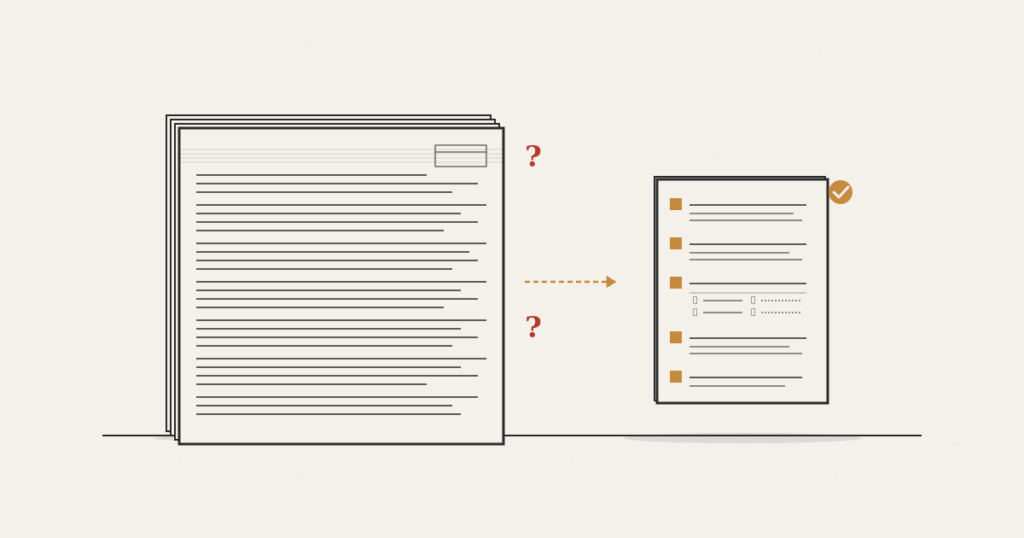
What goes in, what stays out, and how to tell when the document is ready to send to a software studio.
On a Tuesday afternoon, a São Paulo fintech founder opened her email and read three quotes she had asked three different software studios to send back, all based on the same 14-page document she had spent a weekend writing. The first quote said R$180k in four months. The second said R$420k in seven months. The third didn’t come back as a quote at all. It came back as a list of 27 questions and one sentence: “before we can quote, we need to understand more.”
Three studios read the same document and arrived at three different decisions. Not because one was right and the others wrong. Because the document wasn’t actually deciding anything for them.
That’s the central problem a software requirements document solves when it works, and the problem it creates when it gets written like a middle-school essay, or worse, like the spec for a 1998 banking system. For the non-technical founder about to commission the first version of a product, the requirements document isn’t an academic exercise. It’s the artifact that decides how much it costs, how long it takes, and what arrives.
This guide covers what to put in, what to leave out, and how to know when the document is ready to walk out the door.
What a software requirements document is, in one sentence
A software requirements document describes what a piece of software needs to do (and what it does not need to do) at a level of detail sufficient for an engineering team to estimate it, contract it, and build it without endless rounds of clarification.
It’s a modest definition on purpose. The document is not the full product spec. It is not the contract. It is not the roadmap. It’s the instrument that bridges the problem you describe clearly (because it’s your business) and the system someone else will build (because that’s their craft). All the document has to do is make that bridge cheap to cross.
When it works, three studios read it and come back with quotes that are close in scope, timeline and price, with pointed questions instead of 27-item lists. When it doesn’t, you get three plans for three different products.
Why the SRS template you’ll find online doesn’t serve you
The textbook term is SRS: Software Requirements Specification. It’s the document software-engineering programs have been teaching people to write since the 1980s. Most of the templates that show up in the first page of Google when you search for “software requirements document” are variations on that pattern: a 14-section table of contents, functional and non-functional requirements split apart, a use-case diagram, a glossary, a traceability matrix.
That template was designed for a reality that isn’t yours. It was built for software projects commissioned by large enterprises, with two-to-five-year timelines, in-house QA teams that will test against the spec, and regulatory audits after delivery. For an early-stage fintech, a clinic standing up its back office, or a niche marketplace shipping a first version, that format fails for three reasons.
It’s too long. A well-written SRS is 40 to 120 pages. No software studio is reading 80 pages before quoting. They’ll skim the first ten, identify three confusing parts, and send you the list of questions. You spent a weekend and you’re in the same place.
It’s built to validate delivery, not to sell the project internally. The traditional SRS documents “what the system will do” so someone can later test whether it did. You don’t need that yet. You need three studios to agree on how much what you want actually costs.
It demands a technical precision you don’t have. Non-functional requirements, architectural constraints, conceptual data model. If you knew how to write those well, you wouldn’t be hiring a studio. Trying to sound technical produces documents that are either wrong (a studio will notice) or too vague (all of them will).
The alternative isn’t to write nothing. It’s to write a shorter, more opinionated document aimed at a specific reader: the person who will quote your project.
The five blocks that fit in eight pages
The document that works for a non-technical founder has five blocks. It fits in six to eight pages. It’s written in prose, with lists where lists help. Every block has a declared purpose.
Block 1: The problem, in up to one page. Who the user is, what the real pain is, and why the pain exists now. This is not the pitch deck. It’s an honest description of the situation: the manual operation you’re replacing, the spreadsheet that broke, the process that lives on WhatsApp and needs to become a product. Whoever quotes uses this page to calibrate everything that comes after. If the pain looks small, the budget looks big. If the pain is obvious, the rest of the document gets the benefit of the doubt.
Block 2: The user, in one page or less. One paragraph per persona, at most three personas. For each: what they do today, what they need the product to do, and where they use it (mobile, desktop, on the counter, at home). This is where questions like “does it have to work on a phone?” and “does it need offline access?” get answered without becoming non-functional requirements. They become facts about usage.
Block 3: Scope, as “in/out,” in two to three pages. This is the most valuable part of the document, and the part founders most underestimate. Instead of listing everything the system will do, split it into two columns: what’s in the first version, and what’s out (but you know exists). The “out” column is what gives the studio the confidence to quote the “in” column. Without it, every studio prices as if the scope were infinite, because that’s what founders normally do with scope. Typical items in the “in” column are concrete features: customer onboarding, quote generation, PDF export, Stripe integration. Typical items in the “out” column are features that will exist one day but not now: native app, BI dashboard, accounting-ERP integration, free plan.
Block 4: Done criteria, in one page. For the first version, three to five sentences describing what has to be true on launch day. “A broker can register a property, generate a PDF proposal, and send it to a client in under five minutes.” “Management can see, at month end, how many proposals turned into contracts.” These criteria function as a silent contract: you’re not accepting the product if any of them isn’t happening yet. They also help the quote, because they tell the studio where the bar is. A criterion like “the system needs 99.99% uptime” is expensive. “The system can’t go down during São Paulo business hours” is cheaper and says almost the same thing for your business.
Block 5: Real constraints, in half a page. Time, money, regulation. When you need to be live (and why). What the budget ceiling is (be ready to answer honestly; quotes land closer to reality when the ceiling is on the table). Which regulation applies (LGPD always in Brazil; PCI if you’ll store cards; HIPAA if healthcare in the US; central-bank registration if regulated fintech). This is the shortest block and the one that saves the most rework. A studio that knows you have three months until the next funding tranche will quote differently from one that thinks you have a year.
Five blocks. Six to eight pages. Written over a weekend without stress, or two focused afternoons. That’s the document that gets quoted.
How to document requirements simply
The short answer: you describe each block in a 15-minute meeting with yourself before you write. You open a blank document, put the block name at the top, and answer out loud, recording or writing in whatever shape comes out. The polished text comes later.
The trap of “technical” writing is what kills most documents. Non-technical founders try to sound like engineers because they assume that’s the language a studio expects. It isn’t. Good software studios read the document out loud as if it were a sales meeting. They trust a clear description of the problem more than a badly drawn UML diagram. If you’re caught between “sounding professional” and “being literal about what’s happening,” always pick the second.
The second trap is trying to cover everything. You won’t. You can’t. The first-version requirements document is, by design, an incomplete instrument. It describes the first version, not the final product. Every decision you didn’t make now becomes a question from the studio later, and that’s normal. What you want to avoid is the document that looks complete but is vague, because that one generates the worse kind of question: questions that look like detail and are actually scope.
The third trap is leaving the document sitting for weeks because it’s “almost ready.” Version 0.9 from the person who owns the problem beats imaginary version 1.0 every time. If the document hits the five blocks, it’s ready.
The quote test: three signs the document is ready
There’s no objective checklist for “document ready,” but there are three empirical signals that show up over and over.
Sign 1: You can read the document out loud without opening parentheticals. If you have to explain a sentence while reading it, the sentence isn’t ready. Rewrite. The rule applies to every paragraph.
Sign 2: A friend in your industry, without technical knowledge, can read it and say “I understand what this product will do.” If they can’t, the studio won’t either. This test applies to Blocks 1 through 3 (problem, user, scope).
Sign 3: You can list three things that were intentionally left out. If you can’t, you haven’t decided enough. Go back to Block 3 and take more out. “Everything is in the first version” is what produces inflated quotes and slipping timelines.
When all three signs are there, the document is ready to send. Send it to two to four studios at once. You’ll learn more from the difference between the quotes than from any individual quote.
Where the requirements document ends and the contract begins
Confusing the requirements document with the contract is the most expensive version of this mistake. The requirements document is a communication instrument. It doesn’t bind anyone to anything. It describes the product you want and the problem it solves.
The software development contract is the legal instrument that governs the relationship. It covers timeline, price, payment terms, code ownership, warranty, and what happens when one party breaks the promise. The contract typically references the requirements document as an exhibit, but the contract governs, not the requirements.
The separation matters because the two documents have different readers. The requirements document is read by the technical team that will build. The contract is read by legal (yours and theirs) and by you, at the moment of signing. If you try to put a contract clause inside the requirements document, you confuse the studio. If you try to describe features inside the contract, you create a legal document that ages in two weeks.
The practical rule: the requirements document describes the product. The contract describes the relationship. Scope lives in the requirements. Price, in the contract. The changes that happen during the build live in a third document (usually meeting notes or a ticket in the studio’s system), and they periodically trigger contract addenda.
That trio (requirements, contract, change log) is what holds a project together without noise. It’s also where the fit analysis with the studio actually happens: how a studio responds to your requirements document tells you more about how they’ll work with you than any sales deck ever will.
Frequently asked questions
What does “requirements” mean?
In a software context, requirements are descriptions of what the system needs to do (functional requirements) and the conditions under which it has to do that (non-functional requirements, such as performance, security, availability). For a non-technical founder, the practical translation is: “what the product delivers” and “under what limits it delivers.”
How do you document requirements simply?
In five short blocks: the problem, the user, scope (in/out), done criteria, and real constraints (time, money, regulation). Six to eight pages total. In prose, not in diagrams. Written for a specific reader: the studio that will quote. Details in “The five blocks that fit in eight pages” above.
Is a software requirements document the same as a PRD or a functional spec?
They’re close cousins, not the same thing. A requirements document describes what the system needs to do. A PRD (Product Requirements Document) is more common inside companies with internal product teams and describes what the product solves and for whom, usually without technical detail. A functional specification dives deeper into screens, flows, and business rules. For a first commission with a studio, the short requirements document described here is usually enough; PRDs and functional specs come later, when the product is running and you or the studio need to coordinate more detail.
What are the four types of documents that show up in a software purchase?
In a typical custom-software purchase: the brief (a one-to-two-page introduction you send to studios to find out who’s worth talking to), the requirements document (this one, six to eight pages), the contract (the legal instrument between you and the studio you choose), and the SOW (Statement of Work, which in some contract structures replaces or complements the requirements document as a contract exhibit). The four have different readers and different purposes; mixing them up is the most expensive mistake in the process.
Can I have the studio write the requirements document for me?
You can, and sometimes it’s the right move (especially if you already have a trusted studio and are commissioning a formal discovery engagement). But the result is usually better when the document comes out of your head first, even in rough form. You’re the only person who knows the problem deeply. The studio will improve the form. They can’t invent the problem.
When does the requirements document need to become a detailed spec?
When the project graduates from its first version. For version one, the short document is enough because most of the detail gets discovered during the build in conversation with the studio. From version two onward (or after a major pivot), the blocks of the requirements document split into bigger artifacts: scope becomes a backlog, done criteria become tests, constraints become documented technical policy.