


System integration: the non-technical founder’s guide to connecting your operation
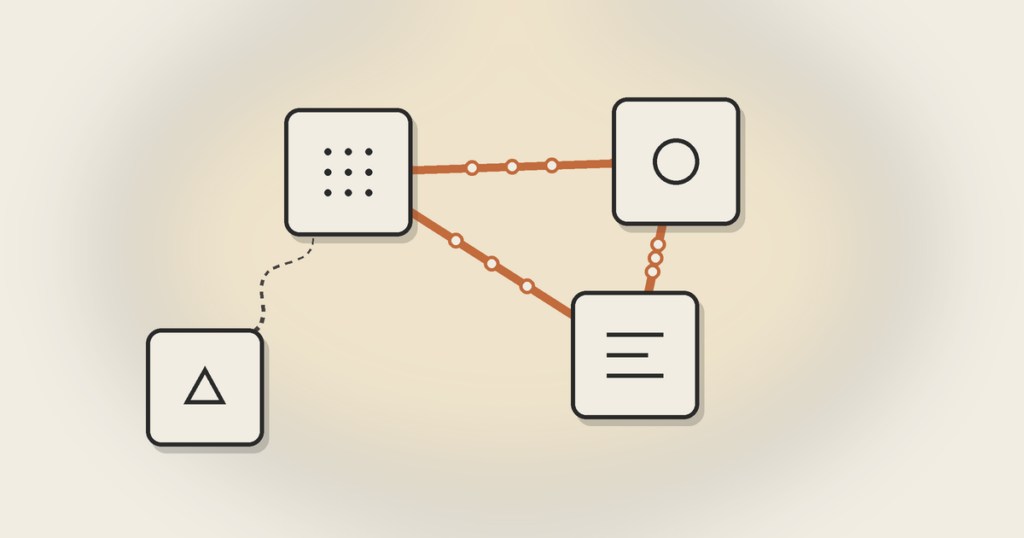
You probably already have an integration running today. It just isn’t software: it’s a person on your team copying data from one system into another every morning. This guide shows when it’s worth replacing that person with a real connection, and how to choose between Zapier, an iPaaS, and a custom-built integration.
Every morning, someone on Júlia’s operations team exports the day’s orders into a spreadsheet and types them one by one into the billing system and the shipping platform. Júlia runs a direct-to-consumer cosmetics brand, does R$4 million a year, and has eleven people on the team. The day that employee took a week off, two orders shipped to the wrong address and one customer got billed for another’s purchase.
System integration is the process of connecting your software so information passes from one tool to another on its own, without anyone typing in the middle. The store tells billing an order came in; billing tells shipping; shipping returns the tracking code. For the non-technical founder, though, the question that matters isn’t “what is system integration.” It’s a different one: when is it worth connecting two systems, and should that connection be a Zapier, an integration platform, or custom code. That’s what this guide is about.
What system integration is (and why you almost certainly already have one)
The textbook definition says system integration is connecting different software, apps, and databases so they work as a single ecosystem. It’s accurate and useless for making a decision. Every ERP vendor writes that sentence.
The most honest way to see this is: if someone on your team takes information from one place and puts it in another today, you already have an integration. It’s just made of people, not code. It’s slow, it makes mistakes, it gets tired, it takes vacations, and one day it resigns, taking with it the rules nobody wrote down. The question was never “should I integrate?” You already do. The question is whether your integration should stay human.
We call this the human API: the person who exists at the company only because two pieces of software don’t talk. They copy, paste, check, fix. It’s invisible work until the day it fails. And when it fails in a real operation, the cost is never just the error: it’s the lost customer, the wrong charge, the phantom inventory.
The signal it’s time: find the human API
Before you price a single tool, do a fifteen-minute exercise. List the software your company needs to function: the store or system that takes the order, billing, the CRM, support, the internal tools your operation runs day to day, the spreadsheet nobody admits is critical. Now draw the arrows: every time data leaves one and enters another by a person’s hand, mark that arrow red.
Each red arrow is an integration waiting to happen. But not every red arrow is worth automating. The ones that are have three traits at once: the data moves often, an error is expensive, and the person doing it could be doing something only they can do. When someone on your team has become a full-time spreadsheet jockey, you don’t have a productivity problem. You have an unbuilt integration.
The counterexample matters as much as the example. If a piece of data moves from one system to another once a month, with low risk, and takes five minutes, let the person do it. Building an integration for that is spending engineering capital to solve a problem that a coffee break already solves. Good judgment is part of the framework.
The three ways to connect two systems (and what each one costs you)
When you decide a red arrow needs to become a connection, there are three paths. They aren’t “basic, intermediate, advanced.” They’re three different trade-offs, and the most common mistake is choosing by the entry price instead of the cost of maintenance. At bottom, it’s the same build-versus-buy decision you face with the rest of your software.
No-code glue (Zapier, Make, n8n). You drag blocks across a screen: “when an order comes into the store, create a row in billing.” In an afternoon, with no coding, the data starts to flow. It’s the fastest, cheapest way to take a red arrow off the map, and for many cases it’s exactly the right answer. What it costs you shows up later: your operation’s logic now lives inside an account someone else controls, failures are silent (the automation simply stops and nobody is told), and the price climbs as volume grows. Great for validating. Dangerous as a foundation.
An iPaaS (integration platform). When you have many systems to connect and the no-code glue starts turning into a web of patches, an iPaaS is the professional layer of the same idea: it centralizes, monitors, and gives visibility into the connections. It costs more, it needs someone who knows how to run it, and it makes sense when integration has stopped being a bridge between two systems and become a nervous system across ten.
A custom integration (via API). Here a team writes code that connects the systems directly, using their APIs. An API is just the standardized way one piece of software offers for another to request and send data, instead of a human clicking the screen. It’s the most expensive option to start and the cheapest to maintain when the connection is central to the business, needs rules no off-the-shelf tool anticipates, and can’t fail in silence. Martin Fowler has a classic argument that integrating via API beats wiring systems together through the database, precisely because it preserves each system’s boundaries. When the connection is the backbone of the operation, it deserves the same engineering as the rest of the product.
The rule of thumb: no-code glue is for validating the integration; custom code is for when the integration has become part of the product. Most founders get the first choice right and take too long on the second.
The four questions for choosing how to integrate
For each red arrow that survives the cut, answer four questions. They decide the mechanism better than any tool comparison.
How often does the data move? Once a day is different from a thousand times an hour. High volume breaks no-code glue (usage limits, cost per run) and calls for code.
What breaks if the data is wrong or late? If the answer is “a customer gets charged incorrectly” or “an order is lost,” you’re in a critical integration and can’t accept silent failure. If the answer is “someone fixes it later without stress,” the glue will do.
How many systems are involved? Two systems is a bridge. Five or more starts to be a web, and a web of loose zaps is technical debt waiting to come due. That’s the moment to think about an iPaaS or a layer of your own.
Who owns it when it breaks at two in the morning? Every integration breaks one day, because the systems on both sides change without warning you. If the answer is “nobody knows,” you don’t have an integration: you have a time bomb held together with tape. Before you connect, define who gets the alert and who fixes it.
The trap: when Zapier becomes architecture
No-code glue has a treacherous risk curve. It comes in as a weekend fix and, without anyone deciding, becomes load-bearing: the whole company starts depending on a set of automations that live in a personal account, with no documentation, no monitoring, failing without a sound.
We’ve seen the script more than once. A billing automation stopped running on a Friday night because the system on the other side changed a field. Nobody got an alert. By Monday, three days of invoices were missing. The fix took an afternoon; rebuilding the customer’s trust took months. The problem wasn’t Zapier. It was letting Zapier carry a weight it was never designed for.
The parallel with product no-code is direct. Just as a no-code tool is excellent for validating an app and becomes a cage when it needs to scale, integration glue is excellent for validating a connection and becomes a risk when that connection turns central. The warning sign is always the same: the day you’re afraid to touch the automation because you no longer know what depends on it. When that fear shows up, the integration has already become architecture, and deserves to be treated as such, with code, logs, and an owner.
Examples of system integration, from simple to critical
It helps to land the concept in concrete cases, from lightest to most serious.
Light, no-code glue handles it. When someone fills out a form on your site, create a card in the CRM and send a note to Slack. Low frequency, low risk, nothing truly breaks if it’s ten minutes late.
Medium, depends on volume. A store that sends each new order to the shipping system to generate the label. At fifty orders a day, the glue holds. At five thousand, you want code and monitoring, because every failure is a delivery that doesn’t go out.
Critical, ask for custom code. A fintech that needs to reconcile transactions between the payment gateway, the antifraud system, and the finance ledger in real time. Here the integration is the product. Silent failure isn’t an inconvenience: it’s a loss and, depending on the sector, a problem with the regulator.
The pattern uniting all three: the complexity of the integration should track the cost of it being wrong. Under-building a critical connection is expensive. Over-building a trivial one is too. The founder’s job is to put each red arrow in the right bucket, and to revisit the buckets as the company grows, because a “medium” connection today turns “critical” next year without asking permission.
Integration isn’t the glamorous part of software. It’s plumbing. But it’s the plumbing that decides whether your operation scales with sales or drowns in rework. The companies that grow without multiplying their back-office headcount at the same rate almost always did this homework early.
Frequently asked questions about system integration
What is system integration, in one sentence?
It’s connecting different software so information passes from one to another automatically, without a person copying and pasting in the middle. The practical goal is to eliminate rework, reduce human error, and make the company’s tools work as a set, not as islands.
What are the 4 types of system integration?
In the day-to-day of a small company, the four that matter are: manual integration (a person transferring the data), no-code glue (Zapier, Make, n8n), point-to-point integration via API (code connecting two systems directly), and middleware or iPaaS (a central layer that orchestrates many connections). The choice depends on frequency, criticality, and number of systems, not on which sounds most sophisticated.
How much does it cost to integrate two systems?
It varies a lot. A no-code automation can run from nothing to a few hundred reais a month. A custom integration via API is an engineering project, and the price depends on the complexity of the rules and how critical the connection is. The right calculation isn’t the entry price: it’s comparing the cost of the integration against the cost of keeping the human API doing the work by hand, plus the cost of the errors it makes.
Is Zapier good enough for a real company?
It is, very much so, for low-criticality connections and for validating whether an integration makes sense before investing in code. The risk shows up when a no-code automation becomes load-bearing without anyone noticing: critical logic living in a personal account, with no monitoring, failing in silence. The question isn’t “Zapier yes or no,” it’s “what am I hanging on it.”
What about integrating with a legacy system?
Legacy systems are the case where no-code glue usually can’t reach, because they rarely have modern APIs. They generally require custom code and extra care, since working near them is risky. That’s the moment to treat the integration as engineering, with a partner who understands what it’s connecting.