


Legacy system: keep it, modernize it, or replace it? The non-technical founder’s guide
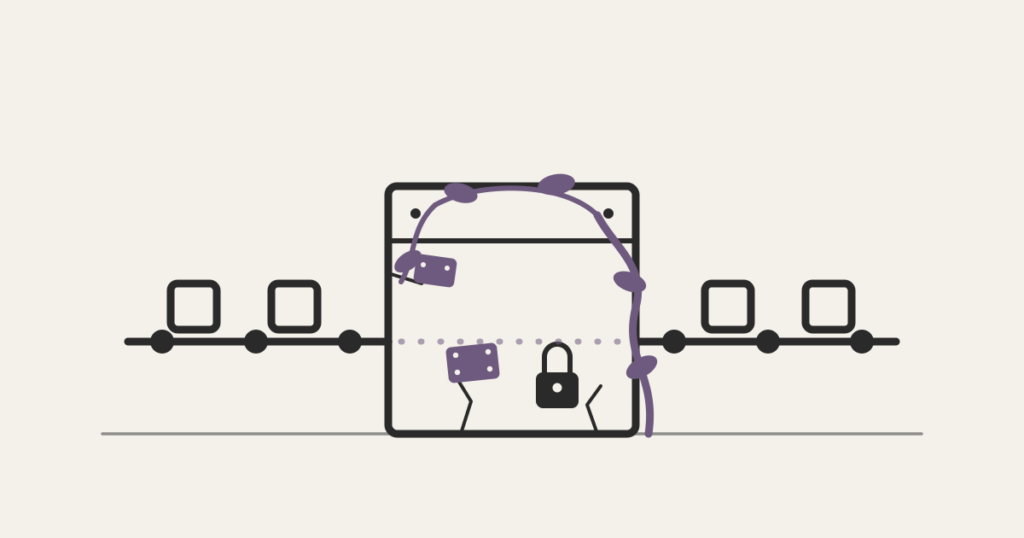
A legacy system isn’t about age, it’s about risk. How to diagnose yours with four questions and choose between keeping, encapsulating, modernizing incrementally, or replacing.
Last year we talked to the COO of a distribution company in upstate São Paulo, 40 employees, profitable operation. Every invoice the company issued ran through a system a freelance developer built in 2018. The developer left in 2021. Nobody has changed a line since. When Pix, Brazil’s instant payment network, changed a reconciliation rule, the team started correcting entries by hand, every day, because touching the code was considered too risky. The system worked. And it ran the company. It was a legacy system in every sense that matters.
A legacy system isn’t just the bank mainframe running COBOL since 1985. It’s also the seven-year-old software nobody can safely change anymore. If you founded or operate a company of 5 to 50 people, your version of the problem looks a lot more like the distributor than the bank.
This guide defines what a legacy system actually is, shows how one appears in a small company, what living with one costs, and organizes the decision that matters: keep, encapsulate, modernize incrementally, or replace.
What a legacy system is
A legacy system is software that stays in operation because the business depends on it, but whose technology, architecture, or missing documentation make any change risky and expensive. The important part of that definition is the second half. Age is not the criterion. Risk is.
A 15-year-old system that’s well documented, tested, and known deeply by two people is not legacy in the sense that matters. A 3-year-old app thrown together on a no-code platform, undocumented, whose only author has left the company, is deeply legacy. The term describes a relationship between the system and your ability to change it, not a birth date.
The practical test is one question: if the business needed this system to change by the end of the quarter, could someone do it with confidence? If the answer involves a sigh, you have a legacy system.
It’s worth separating the concept from a close neighbor: technical debt is the accumulated shortcuts inside a system someone still maintains. A legacy system is the next stage, when the ability to maintain has been lost. Every company carries technical debt; not every company carries a legacy. We wrote a separate guide on how to diagnose technical debt before it reaches that stage.
How a system becomes legacy in a small company
In the companies we serve, 5 to 50 people, legacy almost never comes from a bad decision. It comes from three patterns, all rational at the time.
The freelancer who left. The distributor’s pattern. A competent developer builds the system, the company grows on top of it, the developer moves on. The code might even be good. Irrelevant: nobody else can read the decisions that live only in his head. The company didn’t lose a contractor, it lost access to its own system. This case is so common we dedicated a full guide to the bus factor, the risk of one developer holding the codebase.
The no-code that ossified. Bubble, Glide, a spreadsheet full of macros, stacked Zapier automations. Excellent tools for validating; terrible things to forget in production for four years. Platform costs climb with usage, workarounds pile up, and one day the “temporary automation” is the company’s operations system and nobody remembers why the rule in cell G14 exists.
The customized ERP from 2018. The company hired a consultancy to adapt an off-the-shelf ERP. The consultancy delivered and exited the scene. The customizations were never documented, the ERP version froze (upgrading would break them), and now the vendor charges a premium to touch what the company itself paid to build.
In all three patterns the sequence is the same: the system was the right decision when it was built, the business changed, and the ability to change the system didn’t keep up. Legacy is the name of that gap.
What living with a legacy system costs
The argument for not touching it is always the same: “it works.” That’s true, and it’s why the cost of legacy deceives. It doesn’t show up as an invoice. It shows up spread across four line items nobody adds up.
The integration tax. Every new tool needs to talk to the old system, and doesn’t. So the conversation becomes people: someone exports a CSV, someone retypes, someone double-checks. At the distributor, it was three hours a day of manual reconciliation. Twelve thousand reais a month in salary doing work an integration would do, appearing in no report as a cost of the system.
The hiring tax. Good developers avoid dead stacks and undocumented code. When you finally decide to hire someone to care for the system, you discover the market charges a premium to inherit a problem, when it agrees to inherit it at all.
The concentrated risk. The question we ask every operator in this situation: what happens to the operation if the system goes down on a Friday and stays down for 48 hours? If the answer is “everything stops,” the system is a single point of failure with no recovery plan. That risk costs nothing per month. It costs everything, once.
The opportunity cost. The feature you can’t ship, the sales channel you can’t integrate, the report the investor asked for that takes a week to assemble by hand. It’s the hardest cost to measure and almost always the largest.
The pattern isn’t exclusive to small companies. The GAO, the US government’s audit office, has audited federal legacy systems for years and found critical systems more than 50 years old, consuming most of the IT budget just to stay standing. The scale is different; the mechanics, money going to maintaining instead of evolving, are identical.
If you want to go deeper on the recurring part of that bill, our guide to software maintenance cost breaks down what you pay after launch.
The diagnostic: four questions before picking a path
You don’t need a six-month audit to know the size of the problem. You need honest answers to four questions. Bring in the operations team, not just the technical one, and answer in writing.
1. Does the system serve the process, or does the process contort itself to serve the system? Count the workarounds: parallel spreadsheets, retyping, “we sort that out over WhatsApp.” Every workaround is the process giving ground. Up to two, live with it. Above that, the system is dictating how the company works.
2. How many people can change the system safely? Two or more: you have maintenance. One: you have a risk on an indefinite timer. Zero: you don’t have a system, you have a sealed box your operation depends on.
3. What happens if it goes down for 48 hours? If a reasonable manual workaround exists, the risk is manageable. If the company stops invoicing, this answer sets the urgency regardless of the other three.
4. What does keeping it alive cost per year, counting the invisible taxes? Licenses and hosting, plus the hours of manual work it generates, plus the premium you pay for support. Most operators have never done the sum. The sum usually settles the conversation.
Two or more bad answers: keep reading. All four comfortable: your system is old, not legacy. Save this guide for two years from now.
The four paths: keep, encapsulate, modernize incrementally, replace
Every vendor you consult will recommend the path they sell. The integration consultancy recommends integrating, the rewrite shop recommends rewriting, the ERP salesperson recommends their ERP. None of the four paths is right in general. Each one is right for a diagnosis.
Keep it, deliberately. If the system is stable, the risk is concentrated in people rather than technology, and the business doesn’t demand frequent changes, the right answer may be to leave the architecture alone and attack only the risk: document what exists, ensure tested backups and a recovery environment, and have more than one person (in-house or a partner) able to operate the code. It’s the cheapest path and the most underrated, because no vendor is rooting for it.
Encapsulate and integrate. The system stays as the engine but stops being the wall. You build a layer on top, usually APIs or small services around it, that lets new tools talk to it without anyone touching its internals. It solves the integration tax without the risk of an engine swap. The limit: encapsulation doesn’t rejuvenate the core. If the core needs to change often, this only buys time, which, in many cases, is exactly what you want to buy.
Modernize incrementally. Replace the system piece by piece, starting with the highest-friction areas, with the old and new systems coexisting during the transition. It’s the pattern Martin Fowler named the strangler fig, the fig tree that grows around its host until it replaces it. The virtue is diluted risk: each stage delivers value and can be stopped without disaster. The price is management: living with two systems demands scope discipline, and projects without a clear owner degenerate into three systems.
Replace it outright. The full rewrite. There are cases where it’s the right path: the platform is being discontinued, the cost of maintaining has overtaken the cost of redoing, or question 3 of the diagnostic came back “everything stops” with no workaround. But it’s the riskiest path of the four, and it tends to arrive at the table too early, packaged as inevitable. Before signing any rewrite proposal, read our guide on why the software rewrite is almost always the wrong question, it exists precisely for that moment.
The rule of thumb we use with clients: start with the cheapest path that resolves the risk your diagnostic surfaced, not the most complete one. You can climb a step later; climbing down is expensive.
The most expensive mistake: treating the decision as technical
The final trap isn’t in the paths, it’s in who decides. Non-technical operators tend to delegate this whole decision “to someone who understands it,” and whoever understands it almost always carries a bias: the in-house dev prefers to rewrite (nobody dreams of maintaining someone else’s code), the vendor prefers the bigger project, the consultancy prefers the house tool.
The legacy system decision is a business decision with technical inputs, in the same family as build vs buy and hiring in-house vs working with a partner. The four-question diagnostic is deliberately non-technical because the person who has to answer it is the one who feels the cost: you. The technical partner’s role is to present options with honest prices and risks within each path, not to pick the destination.
It’s the kind of conversation that separates a partner from a vendor: a partner shows the trade-off, a vendor shows the proposal.
Frequently asked questions
What is a legacy system?
It’s software that stays in operation because the business depends on it, but whose technology, architecture, or missing documentation make changes risky and expensive. The criterion isn’t the system’s age, it’s the (lost) ability to change it safely.
What is a legacy program?
The same concept at the level of a specific application: a program still in use that nobody can safely update, whether for lack of documentation, dependence on discontinued technology, or because whoever built it is no longer available.
What is a legacy model?
The term shows up in two senses: an old data model that newer systems must respect to talk to the legacy, and, more recently, older versions of AI models kept in production. In both, the logic is the same as the legacy system: something old that stays because replacing it costs more than living with it, until it doesn’t.
Is a legacy system always bad? When is replacing it worth it?
No. An old, stable system that serves the process is an asset, not a problem. It’s time to act when the diagnostic shows concentrated risk (one or zero people able to maintain it), multiplying workarounds, or an invisible annual cost higher than the cost of modernizing. And replacing it outright is the last path to consider, after keeping, encapsulating, and modernizing incrementally.